
These days I spend most of my working hours in a terminal, answering questions from the Claude agents I run. (Yes, I have become that person.) Recently, Claude Code helped our team rewrite huge chunks of a codebase I first committed to in April 2017. So it was only a matter of time before Equip itself showed up in the terminal.
It has. From today, you can connect Claude Code, Codex, Gemini CLI, Cursor or VS Code to Equip and ask your AI recruiting assistant about your hiring pipeline in plain English. Which openings have the most candidates waiting in screening? How did Priya score on the coding test? Who is on Thursday's panel? Your assistant looks it up in Equip and tells you.
Why I care about this one
Customers often come to us with a problem, and we show them Equip already solves it. Their next question is always some version of "how was I supposed to find that?" Equip has grown a lot since 2022, and most answers sit on a dashboard, a few clicks deep, waiting for someone with the time to go looking.
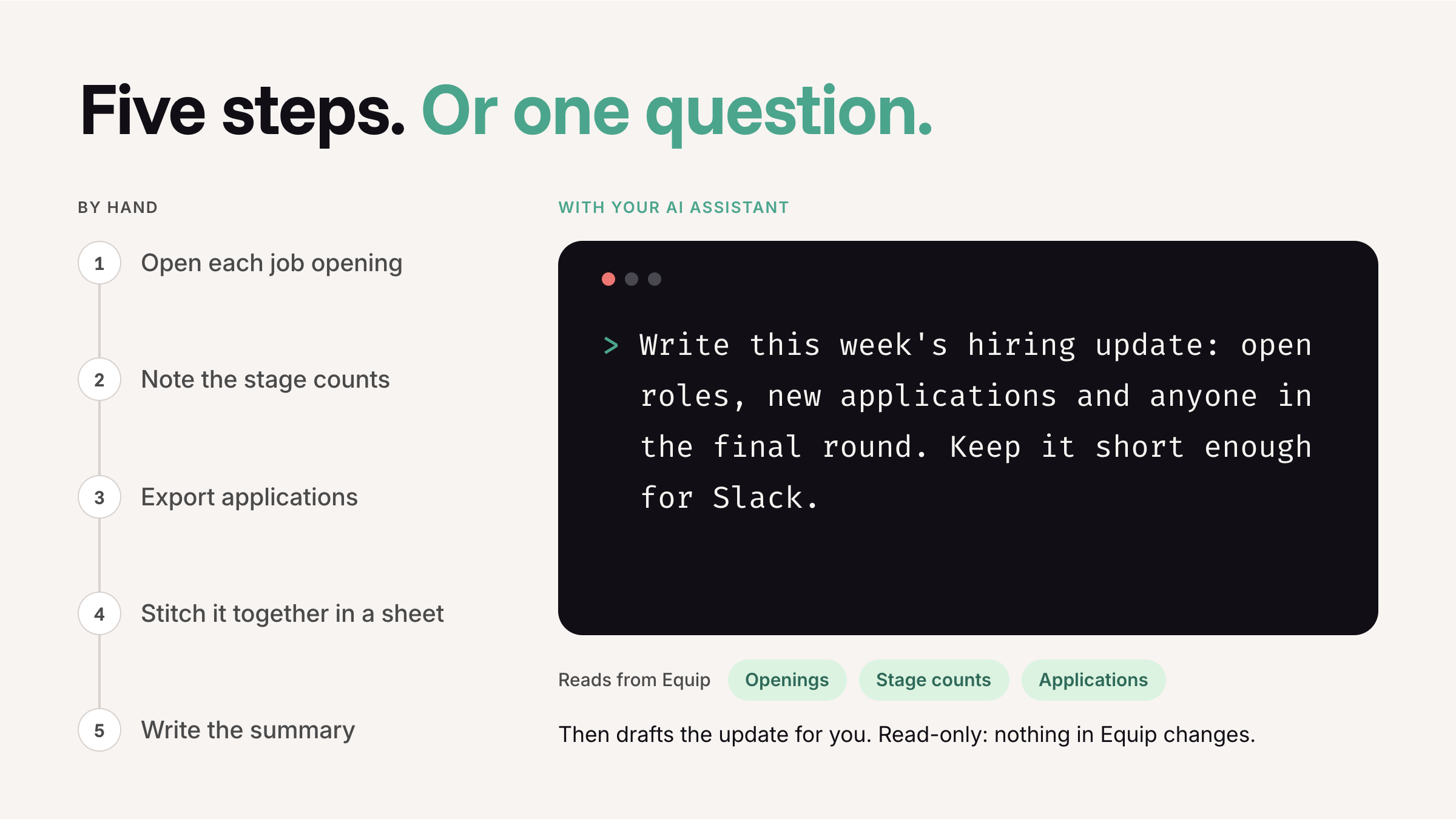
Recruiters do not have that time. They are pulling numbers for the Monday update, working out which of 40 Backend Engineer applicants cleared 70 on the coding test before the hiring manager calls, copying stage counts into a spreadsheet. None of it is hard. All of it is clicking.
Our answer used to be the helpdesk and our video tutorials. They are still there, and they are still good. But now we have something better: just ask your AI assistant. You do not need to know where anything lives anymore.
What it can (and cannot) do
Last month we launched the Equip MCP, the read-only layer behind Ask Equip in your dashboard. This update opens the same layer up to the AI tools you already use, through a remote MCP server. MCP is the plug most AI assistants use to talk to other software, so one connection works across all of them.
Your assistant can read your job openings and stage counts, candidates and applications, assessment scores, AI and live interviews, and who is on your team. On plans with ATS Insights, it can read those too.
It cannot change anything. It will not move a candidate, send an email or edit a job post. I know, I know: agents going rogue. Not this one. It is read-only by design, and you still make every call.
What you can ask
- "Which of my job openings have the most candidates waiting in screening?"
- "Find Priya Shah. Where is she in the process, and how did she score?"
- "Which interviews are scheduled this week, and who is on each panel?"
- "Compare the AI interview scores of the top five Backend Engineer candidates."
- "Draft a note to the hiring manager on where the Data Analyst opening stands."
My favourite part: the answer shows up where you are already working. Ask for the weekly update and you get the update, not another dashboard to squint at. More ideas in these six prompts for Ask Equip, which work just as well here.
Setting it up
The shortcut: If this is too much tech hullabaloo for you, skip it. Hand your assistant the setup guide along with the API key from your dashboard, and it will do the rest.
If you would rather do it yourself, an Owner or Admin on your Equip account generates an API key under Account, then Developers. You add it to your shell profile as EQUIP_MCP. Then you paste one line:
One quirk: name the variable EQUIP_MCP, not EQUIP_API_KEY. Claude Code quietly blanks anything with KEY, TOKEN or SECRET in its name when it fills in a remote server's headers. Ask me how I know ;)
Codex, Gemini CLI, Cursor and VS Code each need a small config entry instead. Copy-ready snippets for each one are on the same Developers page.
What you should know
- One key covers your whole organisation. Ask Equip runs as you, with your role's permissions, but the API key works at admin level across every opening. Share it only with people who should see all of that, and rotate it if it leaks.
- Your AI tool sees the answers. Answers pass through whichever assistant you connect, so pick one your company already approves for work data.
- It is on annual Premium and Elite plans. On a different plan? Write to support and the team can switch it on for you.
Recruitment automation has spent years promising recruiters their time back and handing them another dashboard instead. I would much rather you spent Monday morning talking to candidates than counting them. Connect your assistant, ask it one question and see how much of your week was really just lookups.
Not on Equip yet? Ask Equip is live in the demo workspace, so you can try asking questions there first.