

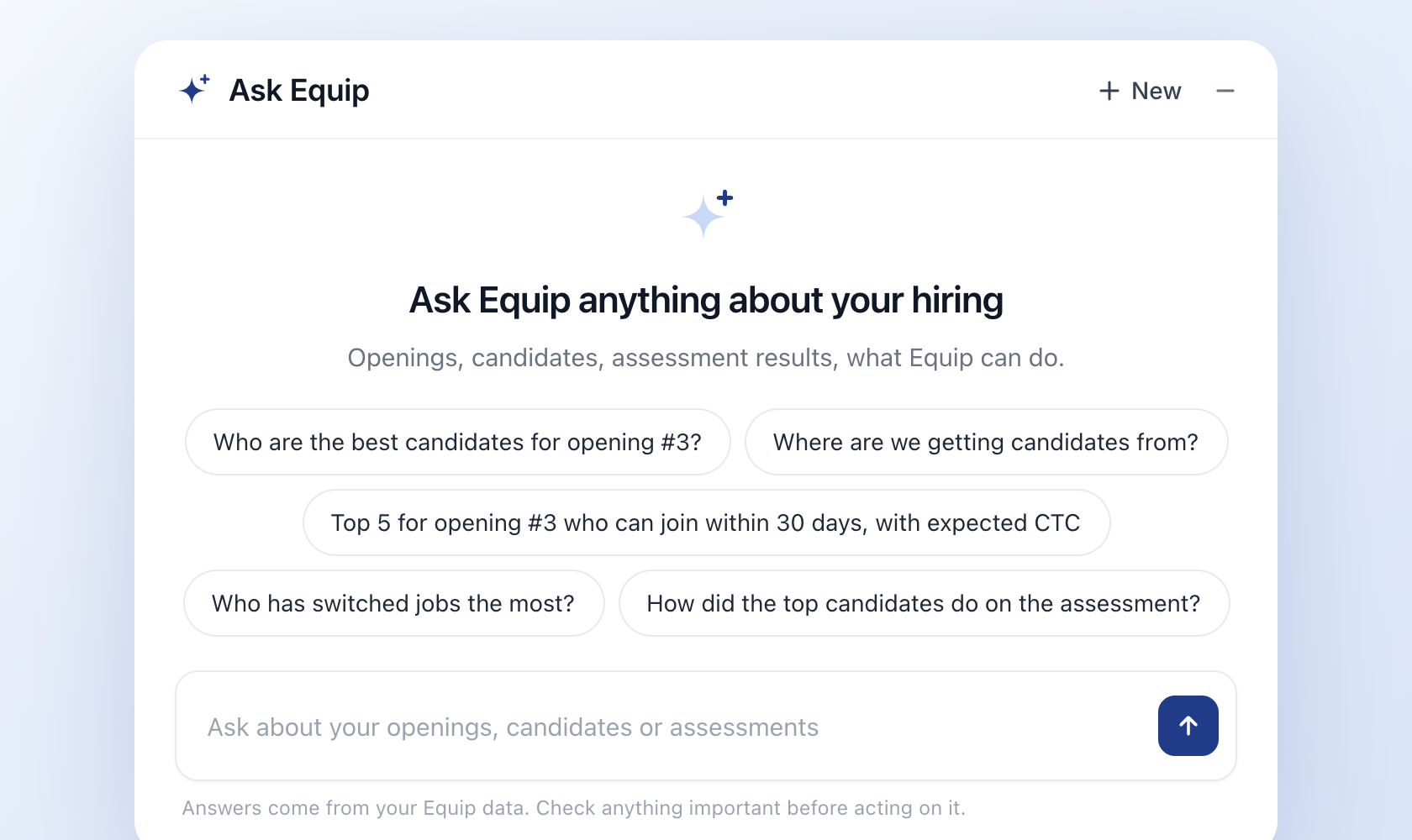
Equip now has an MCP: a single, read-only layer that lets AI answer questions from your live hiring data. It knows how to look up an opening, pull applications, fetch assessment scores and load your hiring analytics, and it checks your permissions before it returns anything. You can use it today through Ask Equip, the assistant built into your Equip dashboard.
"Which candidates for the Backend Engineer opening scored above 70 on the coding test?" "How many applications came in this week, and from which channels?" "Shortlist five people for the Product Designer opening who can join within 30 days." Type it the way you would ask a colleague. Ask Equip uses the MCP to look it up and replies with the answer.
What it changes for your team
Your team already knows what data it needs. The slow part is getting to it: clicking through several dashboards, downloading multiple Excel files and stitching them together before anyone can answer a simple question. With the Equip MCP, you ask in plain English and get the answer in seconds.
The real value goes beyond lookups. Ask Equip does not stop at numbers you could have found on a dashboard yourself. It works across openings, applications, scores and sourcing data to help you analyse, spot patterns and reach a conclusion:
- "Which sourcing channel brings in candidates who score highest on the assessment?"
- "Compare the top five candidates for the Backend Engineer opening on coding score, notice period and expected CTC. Who should we move forward?"
- "Why is the Product Designer opening getting fewer shortlisted candidates than last month's openings?"
Questions like these used to mean an afternoon in a spreadsheet. Now they take one message.
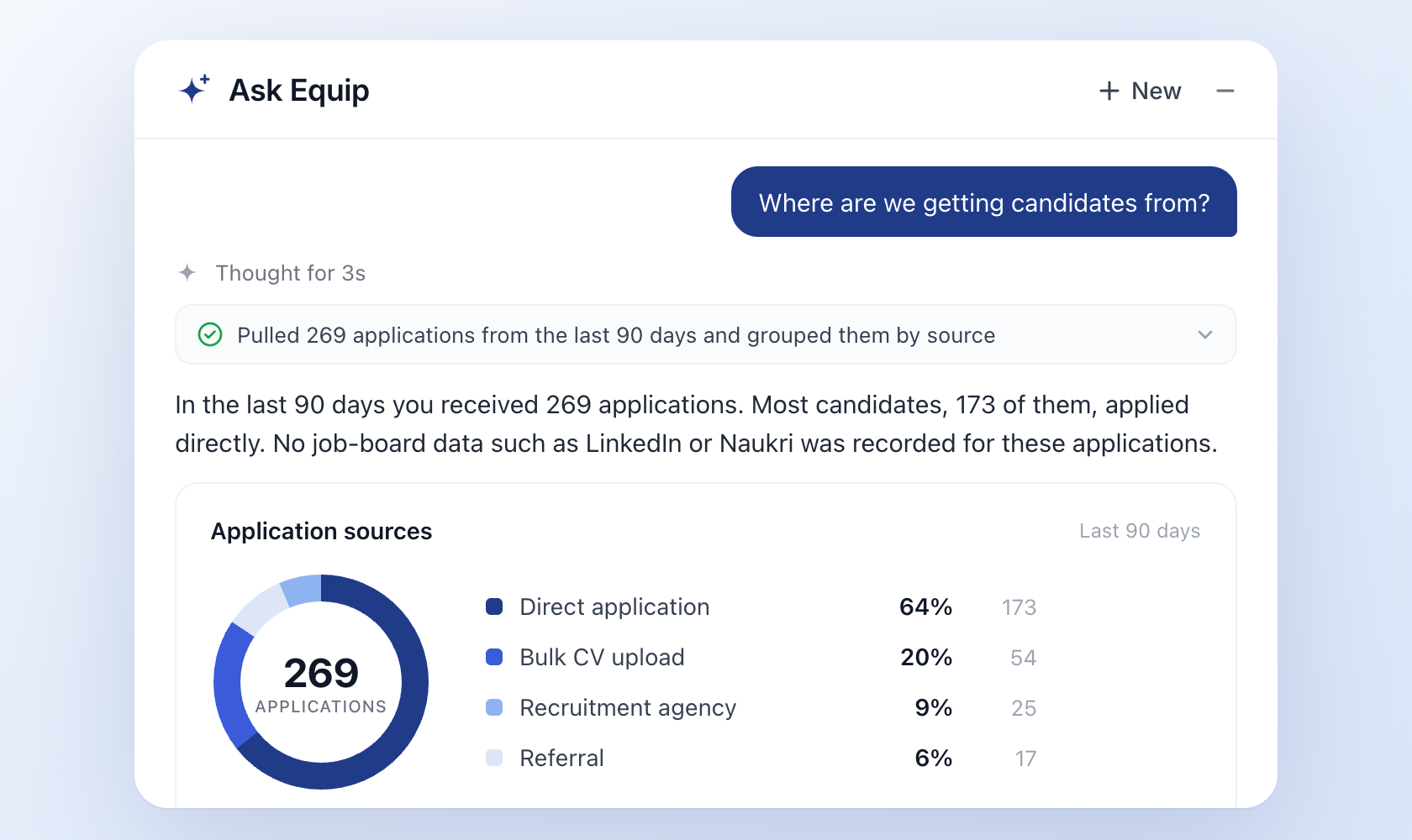
Your candidate data also stays where it belongs. Many teams paste exports into third-party AI assistants to get this kind of analysis, which puts candidate details outside your control. Ask Equip runs inside Equip, on the Equip MCP, so nothing leaves the platform and no unauthorised tool ever sees your candidates.
What is the Equip MCP?
MCP (Model Context Protocol) is an open standard for connecting AI to tools and data. Instead of letting an AI model loose on a database, an MCP defines a small set of named actions the AI is allowed to take, and nothing else. Each action has clear inputs, clear outputs and a permission check.
The Equip MCP defines four read-only actions:
Together, these cover most of the questions a recruiter asks in a day: who applied, how they scored, where they came from and what to look at next.
Why build it this way
Most AI features in hiring tools are a chat box sitting on top of the product, with no clear line around what the AI can read. The MCP draws that line in one place. Every AI answer in Equip goes through the same four actions, the same filters and the same permission checks. That gives you three things:
- Answers you can audit. Every action the AI takes is a named step with a visible query, so you can check how it read your question.
- A fixed boundary. If an action is not in the MCP, the AI cannot do it. There is no back door to the database.
- One definition of access. There is a single answer to "what can the AI read in Equip?", and it is the same for every feature built on top of it.
You can see every query it runs
In Ask Equip, every answer is preceded by the steps it took through the MCP. Ask for the top five candidates who can join within 30 days, expand the step, and it reads:
{
  "fields": ["expected_ctc", "job_fit_score_times_ten", "notice_period_in_days", "stage"],
  "filters": {
    "job_post_id[eq]": 3,
    "notice_period_in_days[lte]": 30,
    "stage[not_any]": ["REJECTED", "WITHDRAWN", "HIRED"]
  },
  "limit": 5,
  "sort_dir": "desc",
  "sort_field": "job_fit_score_times_ten"
}
"Can join within 30 days" became a notice-period filter. Candidates who are already rejected, withdrawn or hired were left out. The list is sorted by Job Fit Score. If the AI had misread the question, you would spot it in the query before you acted on the answer.
Read-only, and limited to what you can already see
Two things stay fixed:
- It reads, it does not act. The Equip MCP cannot move candidates between stages, send emails, invite anyone to an assessment or change a job post. Those actions stay in Equip, with you.
- It runs as you. Every request uses your Equip login and your role's permissions. If your role cannot see an opening in Equip, the AI cannot see it either. There is no separate AI access level.
Try it in Ask Equip
Ask Equip is the first feature built on the Equip MCP. Open your Equip dashboard, click the sparkle icon in the bottom-right corner, and ask a question about your pipeline. Expand any step to see the exact MCP action and query behind the answer.
No account yet? Ask Equip is live in the demo workspace at equip.co/demo/recruiter, with five starter questions waiting.
Wondering what to ask? Here are 6 prompts to get started.