

Ask Equip answers questions about your live hiring data: openings, applications, assessment scores, interviews and your hiring team. The six prompts below are the ones that save recruiters the most clicking. Each one shows what to type, what Ask Equip reads to answer it, and a follow-up worth asking next.
A quick recap if you missed the launch of the Equip MCP: Ask Equip is read-only, and it runs as you. It can only see the openings and candidates your Equip role can see, and it cannot move candidates, send emails or change a job post. You still take every action in Equip.
1. Shortlist candidates by assessment score
Start here when applications are piling up and you need a defensible first cut.
What it reads: the opening, its applications and the assessment scores for each application.
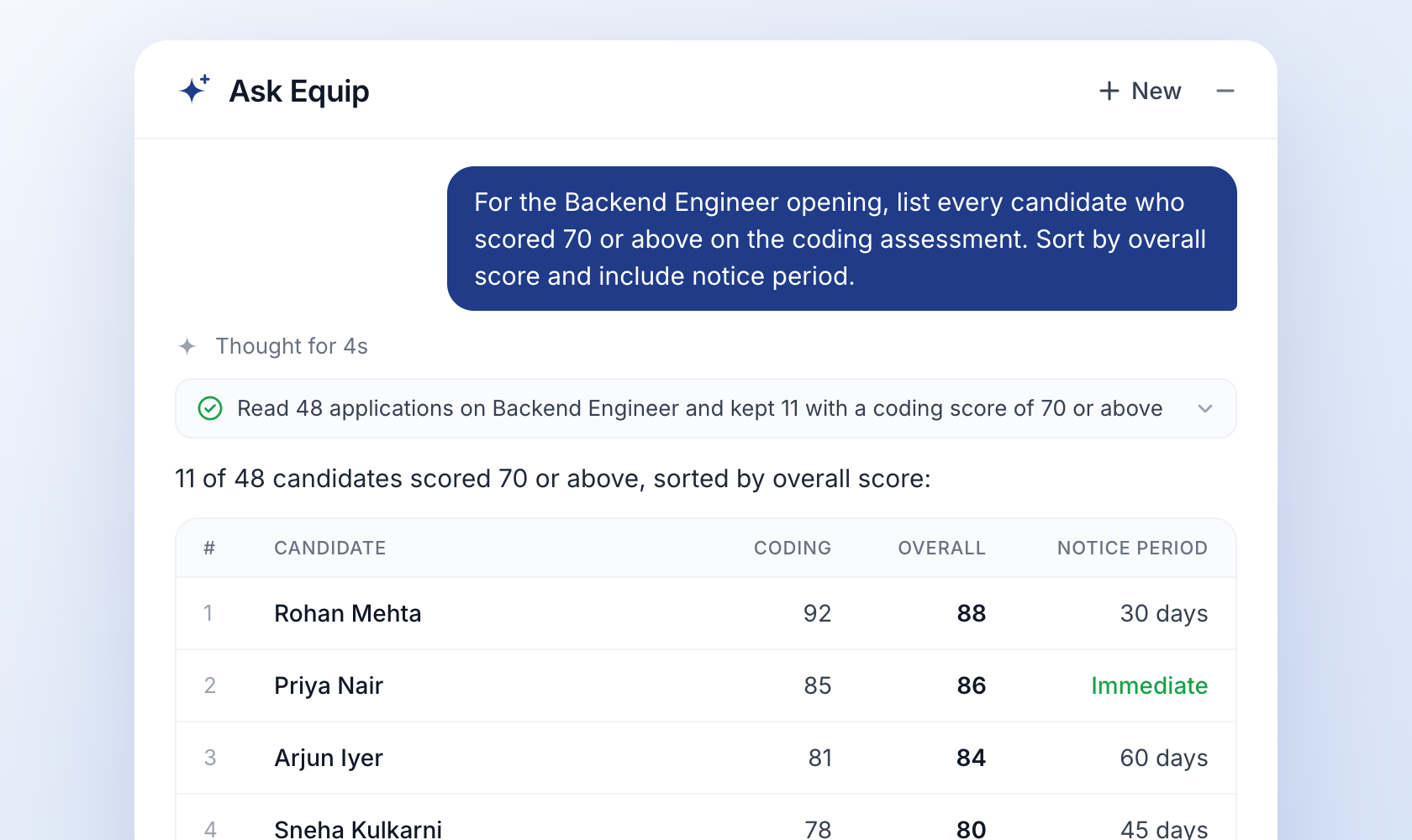
Ask next: "Of these, who can join within 30 days?" Ask Equip keeps the same opening in context, so you do not need to repeat it.
2. Find candidates stuck in a stage
Good candidates drop out when they wait too long between rounds. This prompt surfaces them before they accept another offer.
What it reads: applications with their current stage, and each opening's stage setup, so it knows that "Technical Round" on one role and "Tech Interview" on another mean the same step in your pipeline.
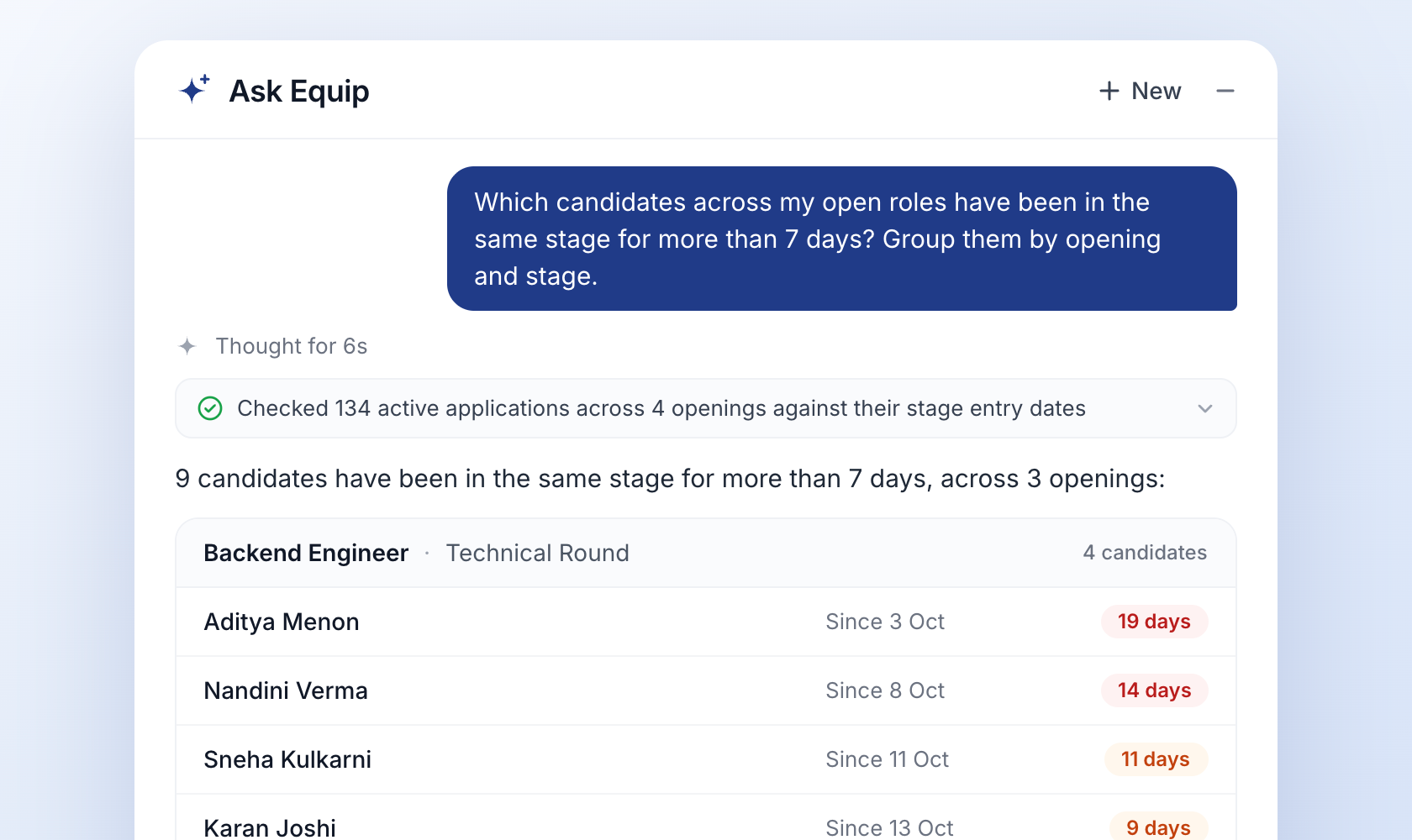
Ask next: "Which of these scored highest on the assessment?" That tells you who to chase first.
3. Prep for an interview panel
Panelists often walk in having read nothing but a name. Run this before the day starts and share the summary with your panel.
What it reads: your interview panels, the live interviews scheduled on them, and the applications and scores behind each candidate.
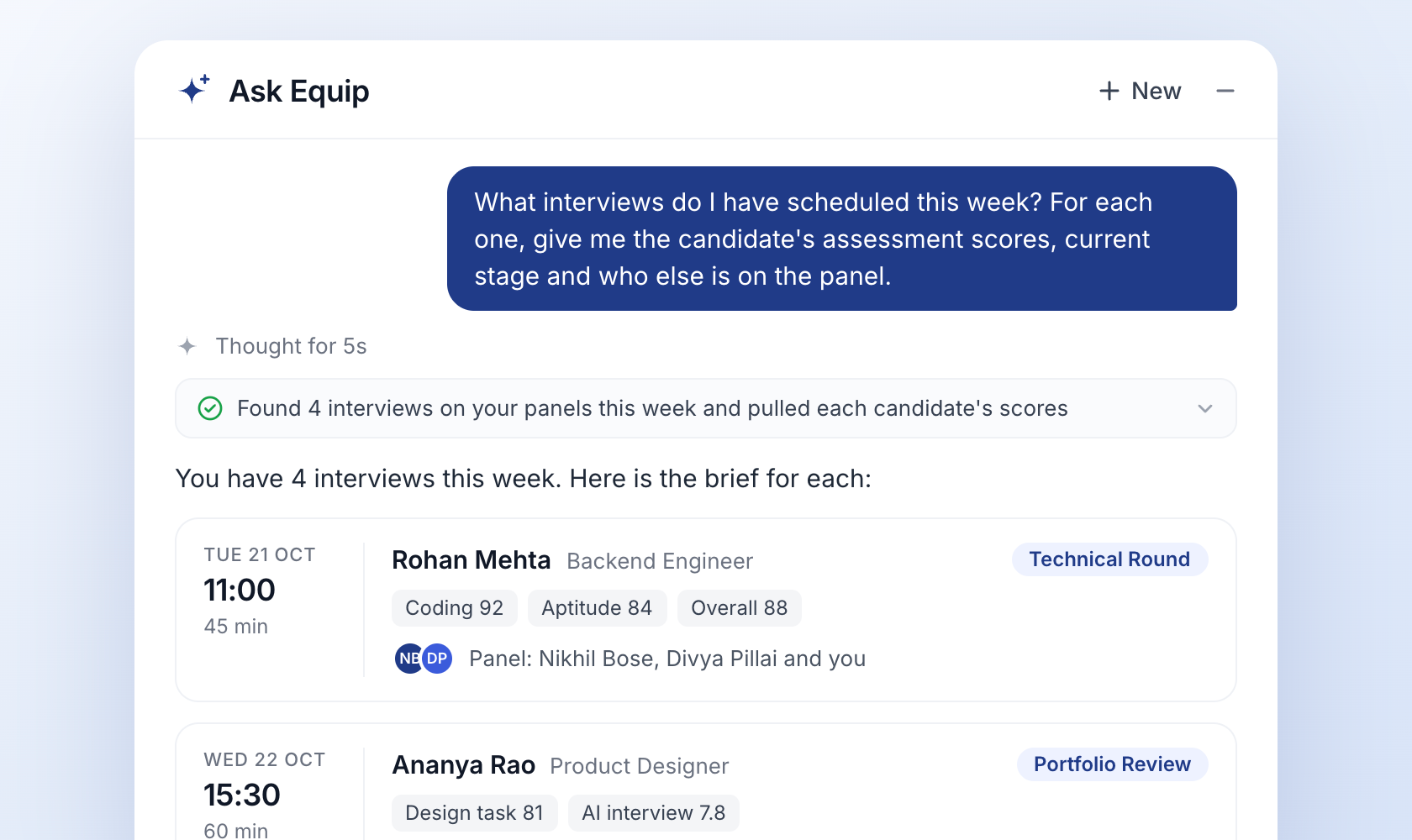
Ask next: "Where did this candidate score lowest? Suggest three questions to probe it." If your panel runs structured interviews, ask Ask Equip to map its suggestions to the skills on your scorecard.
4. Summarise an AI interview
An AI interview report holds a lot of detail. When you only have two minutes before a call with the hiring manager, ask for the short version.
What it reads: the AI interview results for that candidate and opening.
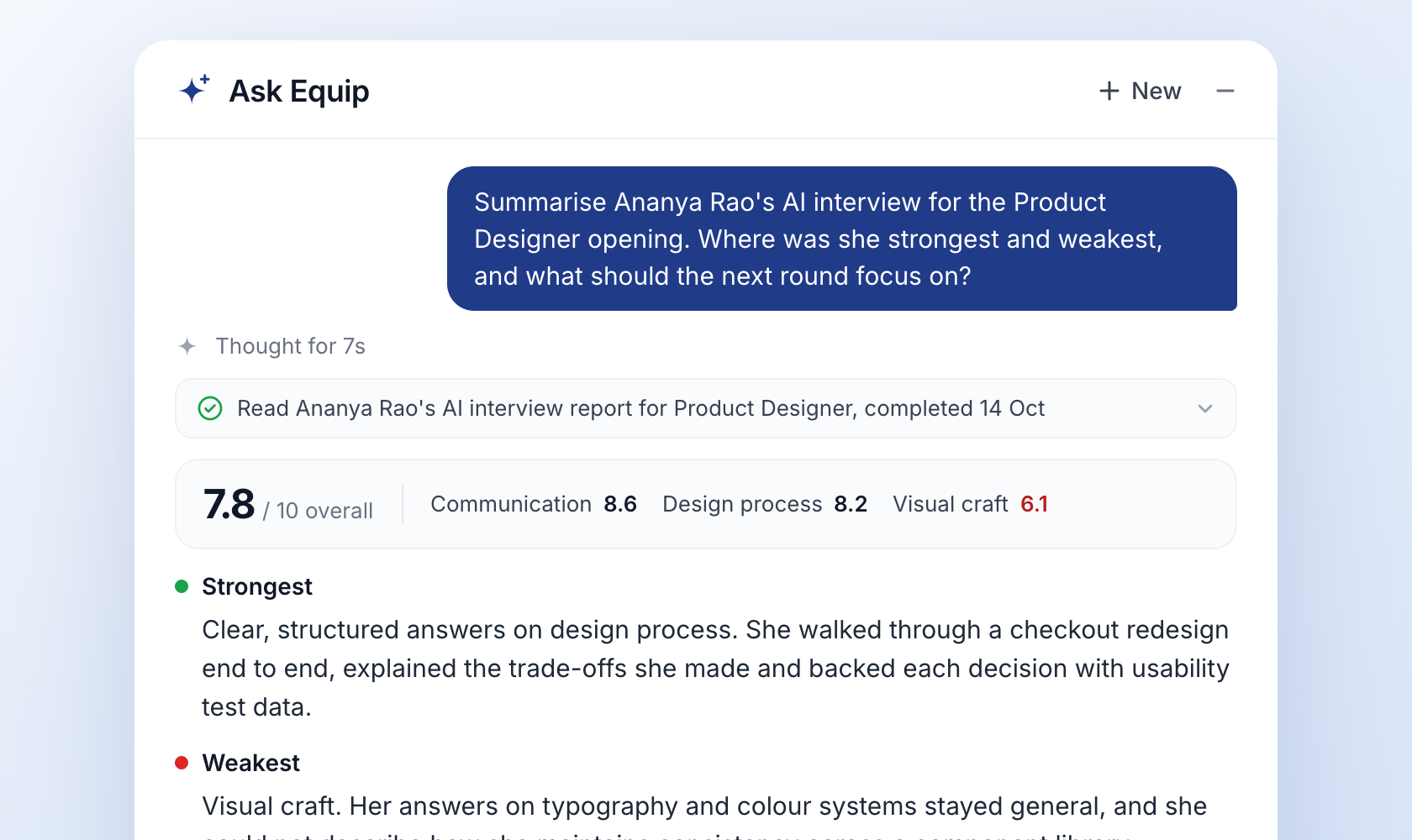
Ask next: "Compare her with the other two candidates who completed the AI interview for this role." New to AI interviews? Start with how AI interviews work.
5. See what the team is hiring for right now
Useful for a Monday stand-up, a leadership update or the first week in a new team.
What it reads: your open job openings and their applications.
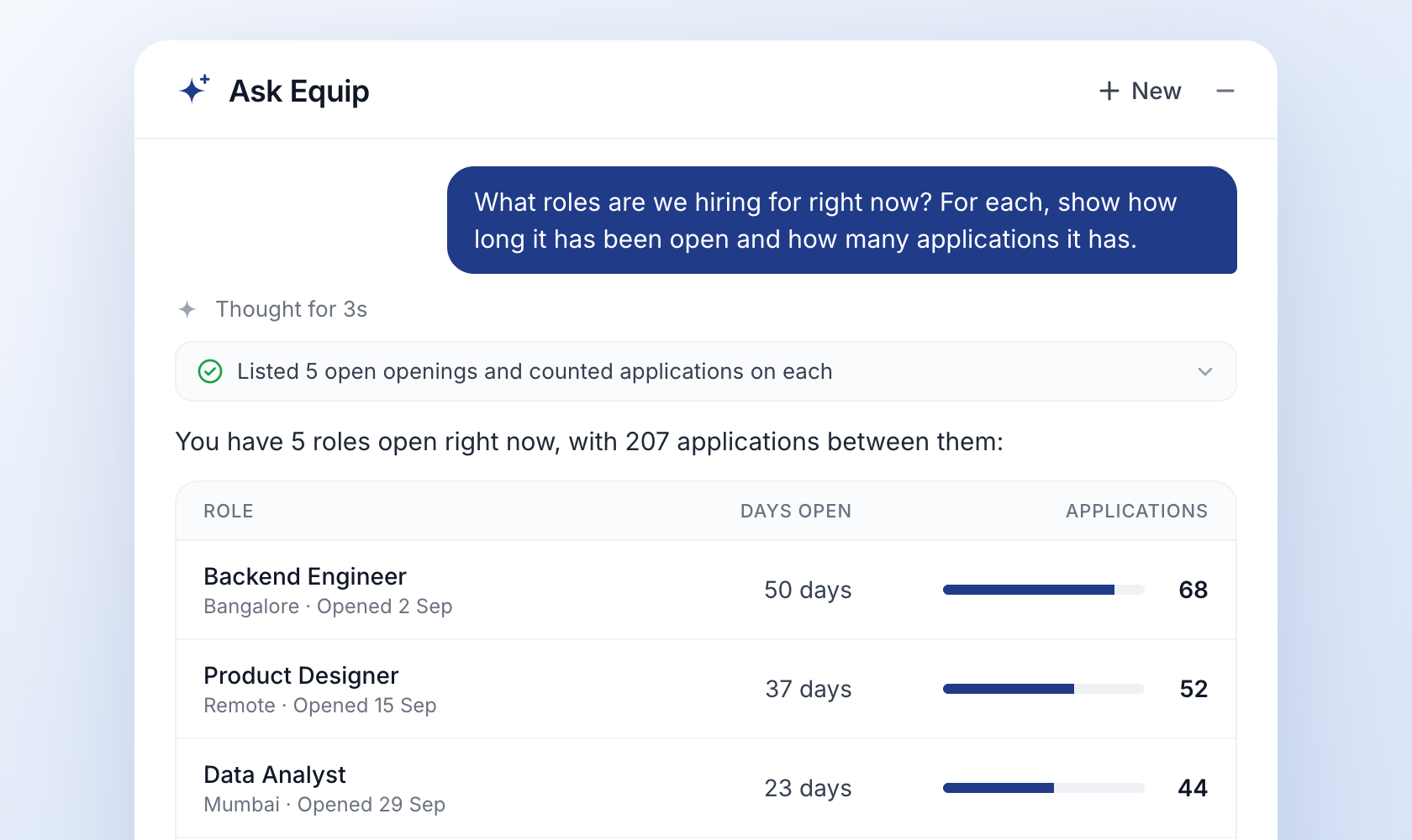
Ask next: "Which of these has the fewest candidates past the first stage?" That points you to the role that needs sourcing help.
6. Find who owns a role
When a candidate asks for an update on a role you do not manage, you need the right person fast.
What it reads: the opening and your team members in Equip.
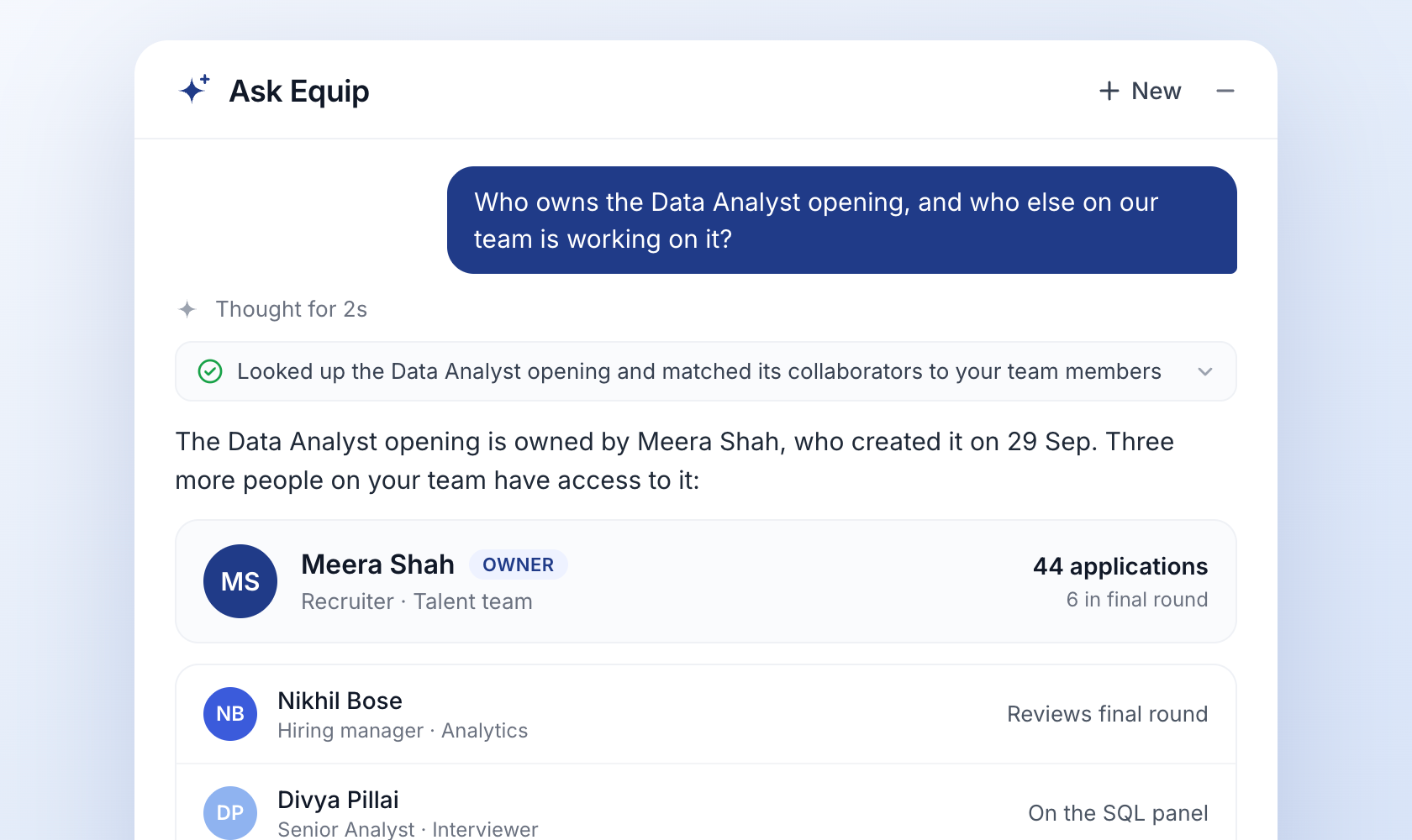
Ask next: "How many candidates on this opening are in the final round?" Now you know who to ask and what to ask about.
How to get sharper answers
Ask Equip reads your data the way you phrase the question, so small changes in wording make a big difference.
- Name the opening exactly. "Backend Engineer, Bangalore" beats "the backend role" when you have similar openings.
- Give a threshold. "Scored 70 or above" and "in stage for more than 7 days" return a precise list. "Good candidates" and "stuck" leave Ask Equip guessing.
- Ask for the format you need. "As a table", "in three bullets" or "ready to paste into Slack" saves you a rewrite.
- Stay in the same chat. Follow-up questions keep the opening and filters from earlier, so you can narrow a list step by step.
- Check the steps. Expand any step above an answer to see the exact query Ask Equip ran. If an answer looks off, the step usually shows where the question was misread.
Try it on your own pipeline
Open your Equip dashboard, click the sparkle icon in the bottom-right corner and paste any prompt above, swapping in your own opening names. No account yet? Ask Equip is live in the demo workspace.