Internal Skills Assessment
Employee skills assessment software for promotions, internal moves and reskilling
Promotion and mobility decisions usually run on manager opinion and self-rated skills. Equip replaces them with evidence: skill tests at set proficiency levels, AI interviews for role readiness, and a per-skill report for every employee and team.


$1 per test
per candidate
30 to 60 minutes
Any device, mobile or desktop
Helping 1000+ companies hire the right talent













Capabilities
How internal skills assessments work on Equip
Map every role to a skill competency framework
Start from the role. Pick a role and an experience band and Equip AI suggests the skills that matter for it, or bring your own competency framework. Each skill gets a target proficiency level: Medium, Hard or Expert. That is the bar an employee has to clear to be ready for the role.
Test each skill at the proficiency level the role needs
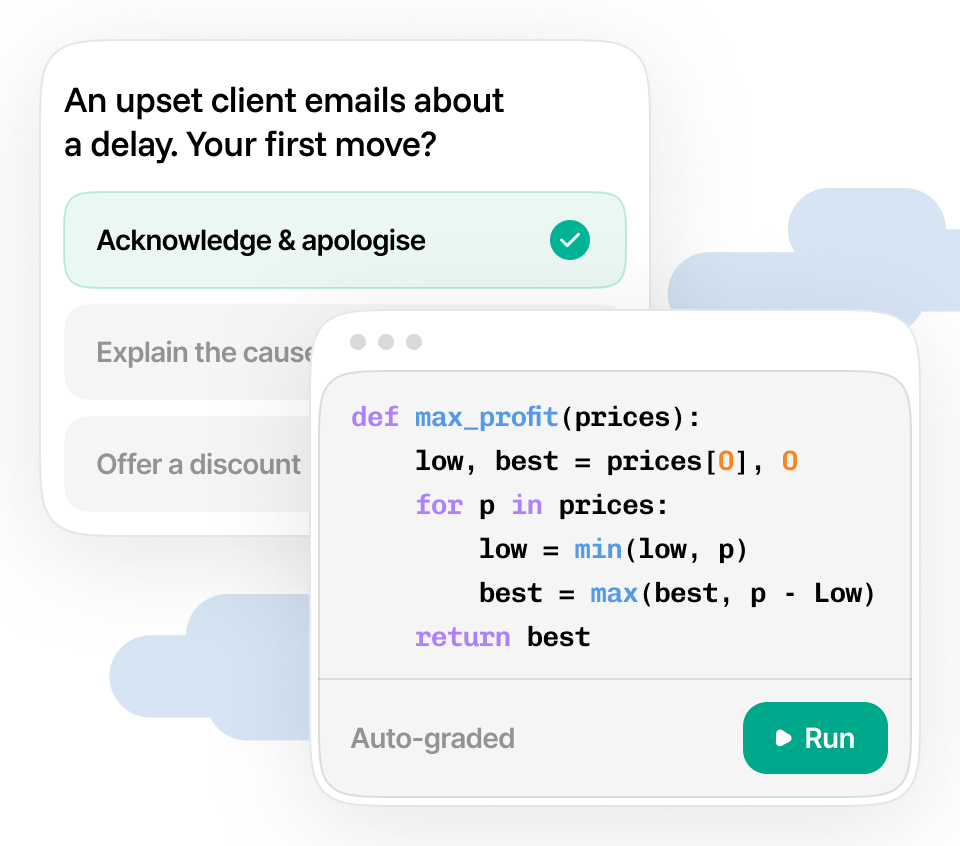
Equip's question banks hold questions per skill per difficulty level, so a Python test for a senior role pulls Expert questions and the same test for a reskilling cohort pulls Medium ones. Mix quizzes, coding, SQL, Excel, typing and English (CEFR, which adapts to the employee's level) in one assessment. Proctoring runs on every attempt, so a score means the employee earned it.
Add an AI interview for role readiness
Tests show what someone knows; an AI interview shows how they apply it. Equip's conversational AI interviewer asks role-specific questions, follows up on the answers and scores communication and depth. Use it for promotion readiness, where judgement matters as much as skill.
Read every result as a skill matrix
Each employee gets a report with per-test and per-question scores, so 78% on an Expert SQL test reads as a proficiency level. Export the whole cohort to CSV or sync it to Google Sheets and you have your skill matrix: skills across the top, people down the side, gaps wherever the level falls short.
Features
Every people decision that needs verified skills
Promotions
Set the bar for the next level as proficiency levels per skill and let every candidate for promotion clear the same bar.
Internal moves
An employee in support wants to move into QA. Test the skills the new role needs before the transfer, so both teams know what training comes with the move.
Reskilling cohorts
Baseline a cohort before training, test again after, and show the lift per skill. An IT services firm reskilling 200 bench engineers from Java to data engineering sees exactly who is deployable.
High-potential and succession pools
Verified skills alongside performance ratings give succession pools an evidence layer. Fill a 9-box with scores.
L&D baselines
Run the same assessment across a function to find where the gaps cluster, then spend the training budget there.
Role certification
Where a role needs a demonstrated skill level, Excel for finance, SQL for analysts, English for client-facing teams, test it on a schedule and keep the report as proof.
How it works
Run your first internal assessment this week
One assessment per role, sent to as many employees as you like. Results come back scored, proctored and ready to export.
01. Define the roles and skills
Pick the role, the experience band and the proficiency level per skill. Equip AI drafts the skill list; you edit it.
02. Create the assessment
Add a test per skill from the question banks at the difficulty the role needs, or upload your own questions. Preview it as an employee would see it, free.
03. Invite employees
Send invitations by email with a deadline. Employees take the assessment from a browser; proctoring and identity checks run in the background.
04. Run an AI interview for role readiness
Invite the employees who cleared the bar to a conversational AI interview about the role. It asks, follows up and scores the answers, so the panel reads a transcript and a score before it meets anyone.
05. Read the results, build the matrix
Per-skill scores for every employee, a cut-off helper for the cohort, and a CSV or Google Sheets export for your skill matrix.

“Our time and effort put in finding the right candidates has reduced.
Ideal tool to be used for walk-in interviews, with a cut-off score, we get eligible candidates moved to the next stages, rather than having to screen all of them.”

Sriram Kannath
L&D, MediBuddy
Learn more
Go deeper on internal assessments
Use Case
Internal Mobility
Fill open roles from inside on verified skills.
Customer story
Quest Global's coding championships
How a 10,000-person engineering firm assesses its own engineers' coding skills at scale on Equip.
Product
AI Interviews
Conversational AI interviews that score role readiness.
FAQ
Frequently Asked Questions
The English (CEFR) test is adaptive: difficulty adjusts across up to six question sets based on how the employee answers. AI interviews adapt too, since the interviewer follows up on each answer.
Skill tests are not adaptive by design. You set the difficulty level per skill (Medium, Hard or Expert) so that every employee is measured against the same bar for the role, which is what a fair internal assessment needs.
You choose the difficulty level for each skill when you build the assessment, so a score is always relative to a level. An employee scoring 80% on an Expert-level Python test has demonstrated Expert proficiency; the same score on Medium questions demonstrates Medium.
Reports show per-test and per-question results, and the analytics view shows difficulty and discrimination per question, so you can check that the bar you set is doing its job.
Employees receive an email invitation with a deadline and take the assessment in a browser. Most tests work on mobile; coding tests need a desktop. They see exactly which proctoring measures are active before they begin and consent to the proctoring report being shared with your team. You decide whether to share the results back with the employee.
Equip is SOC 2 Type 2 certified, ISO 27001 certified and GDPR compliant. Assessment data is encrypted at rest and in transit and is visible only to the recruiters and admins on your organization's Equip account.
Proctoring evidence such as photos, tab switches and screen recordings is captured only during the test, with the employee's consent shown before it starts, and you control who on your team can open a report.
Full details are in the privacy policy and the Trust Center.
Yes. Equip AI's role-to-skills suggestions are a starting point. Pick any skills from the test library, upload your own questions as custom tests, and set the difficulty per skill to match the proficiency levels in your framework.
Yes. Quest Global, an engineering services company with more than 10,000 employees, runs company-wide coding championships for its own engineers on Equip, assessing thousands of participants with proctored coding tests and automatic grading. Read the Quest Global story.
Equip produces a per-skill, per-question report for each employee and a results table for the whole assessment. Export that table to CSV or sync it to Google Sheets and you have a skill matrix for the cohort; the gaps are the cells below the level you set.
If your programme needs a dedicated matrix view inside Equip, tell us on the demo. We build what the teams running internal assessments ask for.
Equip is a monthly or annual subscription (Standard, Premium or Elite) that includes credits; each assessment attempt uses credits. The 30-day free trial comes with 10 credits and needs no card, so you can run a pilot cohort before you buy. See pricing for per-candidate rates in your currency.
Get Started
Verify skills beforethe next promotion round.
Set up in under 5 minutes. Free to try. No credit card.